
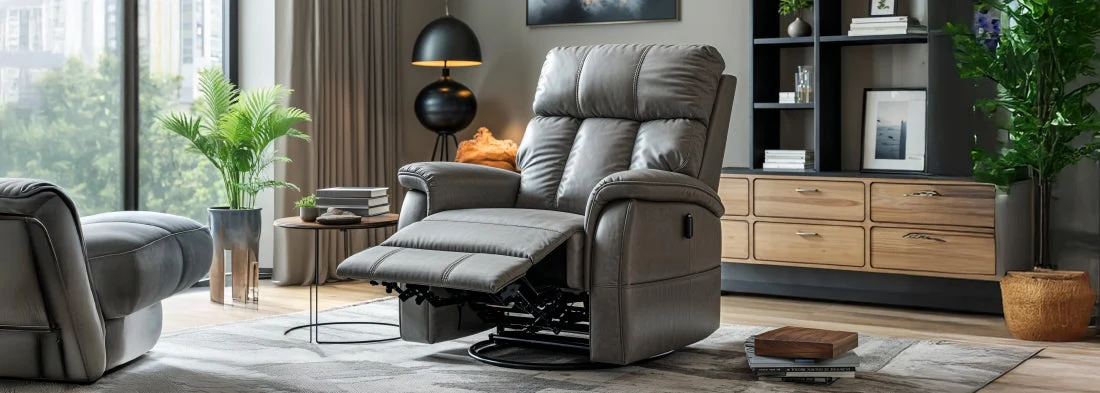
Recliner chairs with remote controls offer exceptional comfort and convenience, especially for those who value effortless adjustments. However, when the remote stops responding or the recliner doesn’t move as expected, it can be frustrating. Understanding how to troubleshoot a recliner remote control can help you quickly identify and resolve common issues, restoring your chair’s smooth operation without the need for professional repairs.
This article provides step-by-step solutions for diagnosing and fixing typical problems with powered recliner remotes. Whether your chair is unresponsive, only partially working, or showing signs of intermittent faults, these practical tips will help you regain control. If you are considering the differences between manual and powered recliners, you may find this comparison of manual and power recliner options helpful for future reference.
Understanding Common Recliner Remote Issues
Before diving into solutions, it’s important to recognize the most frequent problems that affect recliner remotes. These typically include:
- Remote not responding at all
- Only some buttons or functions work
- Intermittent operation or lag
- Chair moves in one direction but not the other
- Unusual noises or no movement when pressing buttons
Many of these issues can be resolved with straightforward checks and adjustments. The following sections outline practical steps for recliner remote troubleshooting that you can perform at home.
Initial Checks: Power and Connections
The first step in resolving remote control problems is to verify that your recliner is receiving power and that all connections are secure. Here’s what to do:
- Check the power source: Ensure the recliner is plugged into a working outlet. Try plugging another device into the same outlet to confirm it has power.
- Inspect power cords and adapters: Look for any visible damage, loose plugs, or frayed wires. If you notice any issues, replace the damaged component.
- Examine the remote connection: For wired remotes, make sure the cable is firmly connected to both the remote and the chair. For wireless remotes, check the batteries and replace them if necessary.
Sometimes, simply unplugging the recliner from the wall for a minute and plugging it back in can reset the electronics and restore normal function.

Testing the Remote Control
Once you’ve confirmed the power supply and connections, focus on the remote itself. Follow these steps to identify the source of the problem:
- Replace batteries: For wireless remotes, weak or dead batteries are a common cause of malfunction. Always use fresh, high-quality batteries.
- Check for stuck buttons: Dirt, debris, or spills can cause buttons to stick or become unresponsive. Gently clean the remote with a soft, dry cloth and ensure all buttons move freely.
- Test all functions: Try each button to see if certain features work while others do not. This can help pinpoint whether the issue is with the remote or the chair’s motor.
If the remote still does not work after these checks, try using a replacement remote (if available) or test your remote on another compatible recliner to determine if the problem is with the remote or the chair itself.
Inspecting the Recliner’s Motor and Mechanisms
If the remote appears to function but the chair does not move, the issue may lie with the recliner’s internal components. Here’s how to proceed:
- Listen for sounds: When pressing the remote, listen for any motor noise. If you hear the motor running but the chair doesn’t move, there may be a mechanical jam.
- Check for obstructions: Inspect underneath and around the recliner for objects blocking the mechanism. Remove any obstacles and try again.
- Reset the recliner: Some models have a reset button on the power supply or motor. Refer to your user manual for instructions on resetting your specific model.
If none of these steps resolve the issue, the motor or actuator may require professional service or replacement.
When to Seek Professional Help
While many remote control issues can be resolved with the steps above, some situations require expert attention. Contact a qualified technician or your recliner’s manufacturer if:
- The remote or chair shows signs of electrical damage (burning smell, melted parts, etc.)
- There is no power to the chair despite checking outlets and cords
- The motor is making loud, unusual noises or has stopped working entirely
- You are unable to identify or safely fix the problem after following troubleshooting steps
Attempting to repair electrical components without proper knowledge can be dangerous and may void your warranty. Always prioritize safety and consult professionals when in doubt.
Preventing Future Remote Control Problems
Regular maintenance can help avoid many common issues with powered recliners. Consider these tips to keep your remote and chair in good working order:
- Keep the remote clean and dry; avoid eating or drinking near the chair
- Replace batteries promptly and use high-quality replacements
- Inspect power cords and connections periodically for signs of wear
- Avoid overloading power outlets or using extension cords with the recliner
- Follow the manufacturer’s care instructions for your specific model
Frequently Asked Questions
Why does my recliner remote only work intermittently?
Intermittent operation is often caused by loose connections, weak batteries, or dirty contacts in the remote. Check all cables, replace batteries, and clean the remote to resolve the issue.
Can I use a universal remote with my powered recliner?
Most recliner remotes are designed specifically for their brand and model. Universal remotes are generally not compatible unless specified by the manufacturer. Always consult your user manual before attempting to pair a different remote.
What should I do if my recliner moves in only one direction?
This issue may indicate a problem with the motor, actuator, or remote wiring. Check for obstructions and test the remote. If the problem persists, a component may need repair or replacement.